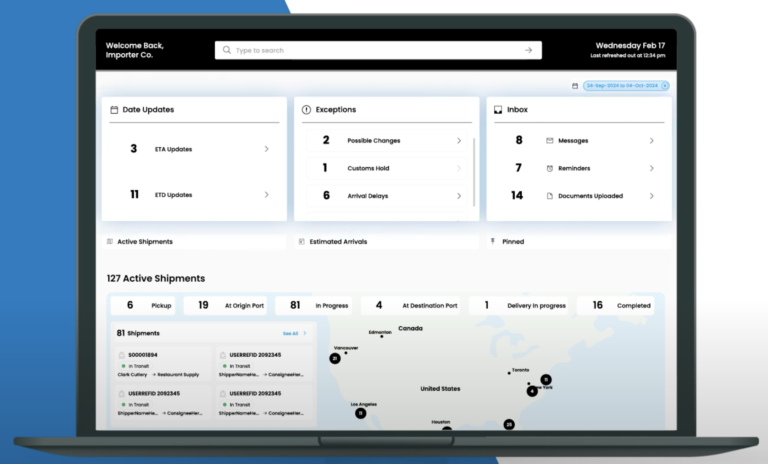
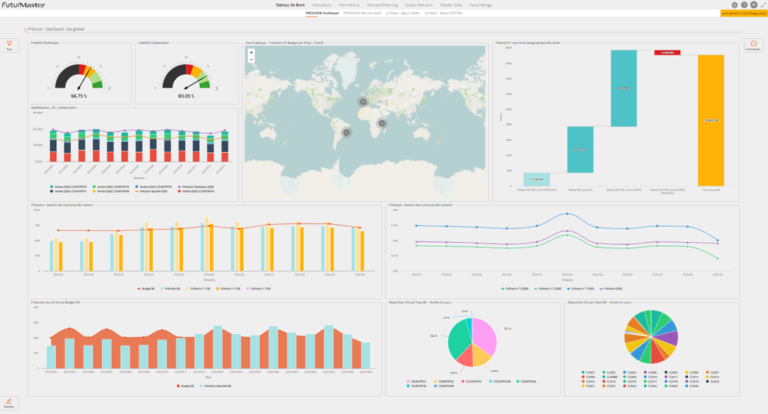
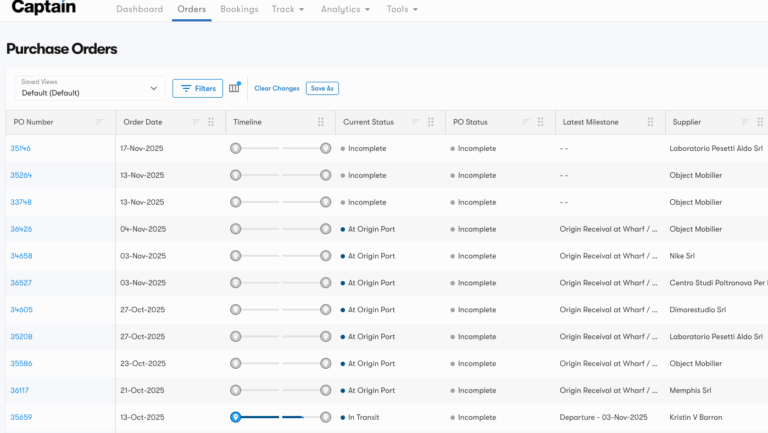
Captain's visibility layer turns scattered tracking emails into one live operating picture: every booking, milestone, exception, and cost in a single feed —
the control tower, run by the team that actually moves your freight.
What Does Captain Visibility and Control Tower Software Cover?
Captain's visibility and control tower software is the layer that answers one question for an importer: where is everything right now, and what is about to go wrong. It groups the modules that watch your network, a live control tower for status and exceptions, a supply chain visibility feed across ocean, air, and land, plus optimization and risk tools, so one screen replaces the tracking emails and carrier portals your team checks by hand.
The difference from a standalone tracker is that Captain is operated by the same licensed brokers and forwarders who touch your freight. A held container shows in the control tower and a broker on our desk is already working it, rather than a status flag with no one behind it. Milestone events post to the feed as they happen, so a delay surfaces while there is still time to reroute, not after the invoice.
The visibility group sits inside the wider Captain platform, so live status flows straight into the customs, trade, and warehouse modules instead of being rekeyed. Start with supply chain visibility software, layer in optimization and risk management as your network grows, and license only the modules you actually need.
5
Visibility modules
1
Live status feed
24h
Response time
Free Platform Tour
Talk to a Captain Visibility Lead
Quick 30-min walkthrough of the control tower and visibility modules that fit your flow. No obligation.
We reply within 1 business day · Your data stays private.
Modules
Our Supply Chain Visibility and Control Tower Software Capabilities
Six modules inside the Captain visibility layer, from the live control tower to optimization and risk, each linked to a dedicated page.
01
Control Tower Software
One live operating picture of every shipment, exception, and cost across your network.
Live status on every booking, milestone, and hold in one feed
Configurable alerts that flag delays before the ETA slips
One screen your team and your brokers read from together
Why Choose Captain Visibility and Control Tower Software?
Captain's control tower is run by the same licensed brokers and forwarders who move your freight, so a flagged exception and the person who can clear it are never two different companies.
Every visibility module reads from one data feed, so a milestone event, an ETA, and a cost never disagree the way separate tracking tools do when they sync overnight.
You license only the modules you need today, control tower first, then optimization and risk, with no rip-and-replace because they already share one platform and login.
The visibility layer feeds the wider Captain customs, trade, and warehouse modules directly, so a held container is visible to the broker and the warehouse from the same record.
Our Process
How Captain Visibility Onboarding Works
01
Visibility Scoping
Map where your team loses sight of freight today and which modules close the gaps.
02
Feed Setup
Connect carriers, ERP, and trading partners so events post to one feed.
03
Configuration
Set alert thresholds, exception rules, roles, and dashboard views.
04
Go Live
Turn on the control tower first, then add optimization and risk modules.
05
Review and Expand
Track visibility metrics each month and extend into the wider Captain suite.
Get Started with Captain Visibility and Control Tower Software
Your team should not learn about a delay from an angry customer. Captain's control tower puts every shipment, exception, and cost on one live screen the whole team can trust.
CargoTrans gives you the visibility software and the licensed operators who act on it, so the status on screen matches what is actually happening to your freight.
Free 30-minute guided tour of the Captain control tower with a product lead
No-obligation review of where your network loses visibility today
Feed setup from carriers and ERP to EDI trading partners
One control tower run by the same brokers who move your goods
A CargoTrans product lead will map your visibility gaps to the right Captain modules and feeds.
Protected by reCAPTCHA. We respond within 1 business day. No spam, ever.
Control Tower
The Captain Control Tower, Live Across Your Supply Chain
The Captain control tower posts each booking, milestone, and exception the moment it happens, so your whole supply chain is visible in one screen before the paperwork catches up.
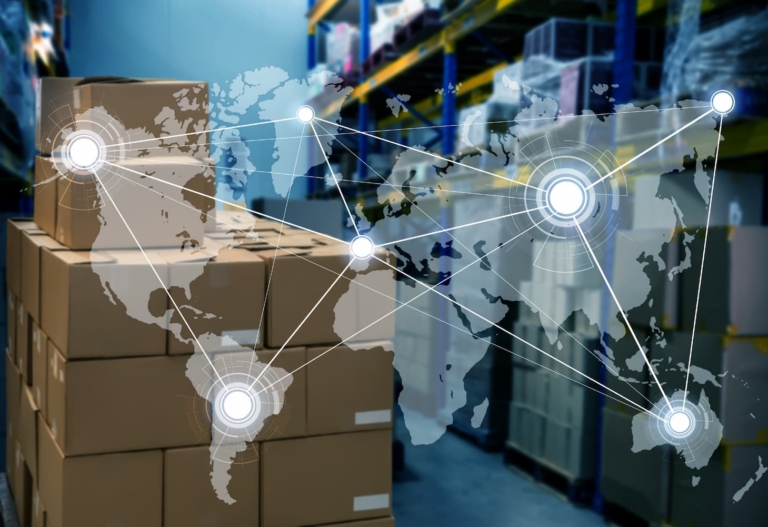
Configurable alerts flag delays, holds, and stockouts early, and the same feed connects inbound freight to your optimization and risk modules so replenishment and routing are planned, not reactive.
Because optimization and risk read the same live data as the control tower, a slow lane or a congested port is flagged and rerouted from the record your operators already work in, not a separate report built after the fact.
The licensed team that moves your freight is the one acting on the signal, so a disruption warning turns into a rebooking or a mode change instead of another email asking someone else to look into it.
What is Captain's visibility and control tower software?
It is the layer of the Captain platform that watches your network and tells you where every shipment is and what is about to go wrong. It groups several modules that share one data feed: a control tower for live status and exceptions, a control tower platform that ties carriers, ERP, and partners together, supply chain visibility software across ocean, air, and land, plus optimization and risk management tools. Instead of checking a carrier portal here, a tracking email there, and a spreadsheet somewhere else, your team reads one live screen. The important part is that Captain is not a passive tracker. It is operated by the same licensed brokers and forwarders who physically move and clear your freight, so the status you see and the people who can act on it are one accountable team.
How is this different from a standalone tracking tool?
A standalone tracker shows you where a shipment is but cannot do anything about it, because the company behind it does not move your freight or file your entries. Captain shows the same status and connects it to the operators who act. If a container is held, the control tower and a licensed broker are already on the same record. If a lane is congested, the optimization and risk modules can reroute from the same feed. Visibility without execution just tells you about a problem after it is too late to fix cheaply. Captain pairs the live picture with the team and the modules that resolve the issue, so the data leads to action rather than to another email asking someone else to do something.
What is the difference between the control tower software and the control tower platform?
They are two views of the same thing. The control tower software is what your team looks at: the live board of shipments, milestones, exceptions, and alerts. The control tower platform is the layer underneath it, the connections and data model that pull carriers, your ERP, e-commerce, and EDI trading partners into one feed so the board is accurate. You experience them together, but they have separate pages because some clients care most about the operating screen while others are evaluating how the integrations and data model work. Both run on the same Captain platform, so there is no seam between the picture and the plumbing that feeds it.
Do I have to license every visibility module?
No. The visibility group is modular, so you license only what solves a problem you have today and add the rest later. Most clients start with control tower and supply chain visibility software to stop chasing status by email, then add optimization and risk management as their network grows more complex. Because every module already lives on the same platform and login, adding one later is a configuration step, not a new implementation project. There is no rip-and-replace and no second vendor to onboard, which is the opposite of buying separate tracking, optimization, and risk tools that each need their own contract and integration.
How does visibility connect to customs, trade, and warehouse modules?
It connects because the whole Captain platform reads from one data model. When the control tower sees a booking, the customs module can file against it, the trade module can screen it, and the warehouse module can expect it, all from the same record. So a container that is still on the water is already visible to your broker and your warehouse before it arrives. A held shipment surfaces in the control tower and on the customs record at the same time, not in two systems that reconcile overnight. The visibility layer is the front door, and because it shares data with the rest of Captain, the live picture leads straight into the modules that clear and store your goods.
Can the control tower integrate with my ERP and carriers?
Yes. The control tower platform connects to your ERP, e-commerce storefront, order management system, EDI trading partners, and carrier feeds so status flows in automatically instead of being rekeyed. Milestone events, ETAs, and documents can be pushed back to your systems, and orders and item data flow into the platform. Because every module shares one data model, a single integration feeds visibility, optimization, and risk at once rather than one connection per tool. If you want a lighter start, your team can work in the Captain portal directly while a deeper integration is scoped during onboarding.
Who watches the control tower, my team or CargoTrans?
Both, and that is the point. Your team uses the control tower to see status, pull reports, and manage exceptions, with role-based access so people see what they should. But the freight behind those events is moved and cleared by the licensed CargoTrans brokers and forwarders who run the operational side. When the tower flags a delay, the same team that controls the transportation is already working it. This removes the handoff gap where problems usually stall between a software vendor that shows a red flag and a service provider who has to be told about it separately.
How does supply chain risk management work in Captain?
The risk module reads the same live feed as the control tower and layers external signals on top, such as port congestion, weather, and disruption on the lanes you actually use. It maps exposure by lane, supplier, and shipment value, so you see which shipments are at risk rather than a generic global alert. Because the module lives on the same platform as your visibility and execution, a warning does not just sit on a dashboard. The operators who move your freight can reroute, change mode, or expedite from the same record, turning an early warning into a concrete action before the disruption reaches your dock.
How long does it take to get the control tower live?
A single visibility module such as the control tower can be live in a couple of weeks, mostly the time to connect your carriers and systems and map your data. Adding optimization and risk takes a little longer because each has rules and thresholds to configure. Because the modules already share one platform, adding each one is configuration rather than a fresh implementation. The usual gate is not our setup work but how quickly your carrier, item, and order data can be validated and connected, so we front-load that during onboarding and turn on the control tower first to give you value quickly.